.png)
It's the week before the quarterly leadership meeting. Your CEO wants turnover by department, sick leave for the last six months, and a sense of which teams are struggling. You export three spreadsheets, filter them by hand, and hope your headcount matches the one finance brings.
An HR dashboard is meant to end that routine, and you don't need a data team to build one. You need a short list of questions, agreed definitions, and one place where your people data lives.
This guide walks through building a simple HR dashboard step by step: which metrics to start with, how to set them up, where to build it, and when it makes sense to let HR software take over. If you're still deciding whether to move HR data out of spreadsheets at all, start with HRIS vs spreadsheets.
Key takeaways
- Start from the questions leadership asks, then pick a handful of metrics. Chart types come last.
- Agree what each metric means before you build, so your headcount and turnover match what finance reports.
- A spreadsheet, a BI tool, or your HRIS's built-in reports can all carry a first dashboard. The right one depends on how often you refresh it and who needs access.
- Give HR, leadership, and managers their own view, and review each at a set rhythm.
- Test the dashboard with one manager and one leader before you roll it out.
What an HR dashboard is and how it differs from a report
A report is a snapshot. Someone exports the data, formats it, and sends it, and by the time leadership reads it, the numbers have already moved.
A dashboard pulls from your data each time you open it. You can filter by department, change the period, and answer follow-up questions in the meeting where they're asked.
Nishma Kamdar, Global HR Business Partner (HRBP) at Tellent, describes the practical difference:
| Aspect | Static HR report | HR dashboard |
|---|---|---|
| Data freshness | As of the export date | Updates from the data source |
| Filtering | Done by hand in a spreadsheet | Built in, by team, location, or tenure |
| Trend view | Needs a new report for each period | Compare periods in the same view |
| Follow-up questions | Answered days later | Answered in the meeting |
| Effort to update | Repeated every cycle | Set up once, then maintained |
What you need before you start
Building without a data team is realistic when three things are in place:
- A list of questions. The questions your CEO, leadership team, and managers ask you most often.
- Your people data in a form you can export. An employee list, absence records, leavers, and survey results are enough for a first version.
- One person who owns the dashboard. That person refreshes it, answers questions about the numbers, and decides when to add a metric.
Eurostat's 2025 figures show that business intelligence software is still uncommon in smaller companies: 11% of EU enterprises with 10-49 staff used it, compared with 69% of those with 250 or more. The figure covers all business functions, not HR alone, so teams often build a first HR dashboard from tools they already have.
How to build an HR dashboard: 8 steps
Step 1: Write down the questions you're asked
Start with a list, not a tool. Write down the five questions you answer most often, in the words people use. For example:
- Are we growing as planned?
- Who is leaving, and from which teams?
- Is absence rising anywhere?
- How do people feel about work?
- Are performance ratings consistent between managers?
Each question becomes a metric in the next step. If nobody asks a question, it doesn't need a chart.
Step 2: Pick a handful of metrics
Match each question to one metric and one useful breakdown. Nishma lists the metrics HR teams lean on most:
| Question you're asked | Metric | Useful breakdown |
|---|---|---|
| Are we growing as planned? | Headcount and new hires | Department, location, month |
| Who is leaving, and when? | Turnover and attrition rate | Department, tenure band, age band |
| Is absence rising anywhere? | Sick leave rate | Team, month, short vs long term |
| Is anyone close to burnout? | Vacation days not taken | Team, manager |
| How do people feel about work? | Engagement score and participation | Function, survey cycle, theme |
| Are ratings consistent? | Performance rating distribution | Manager, department |
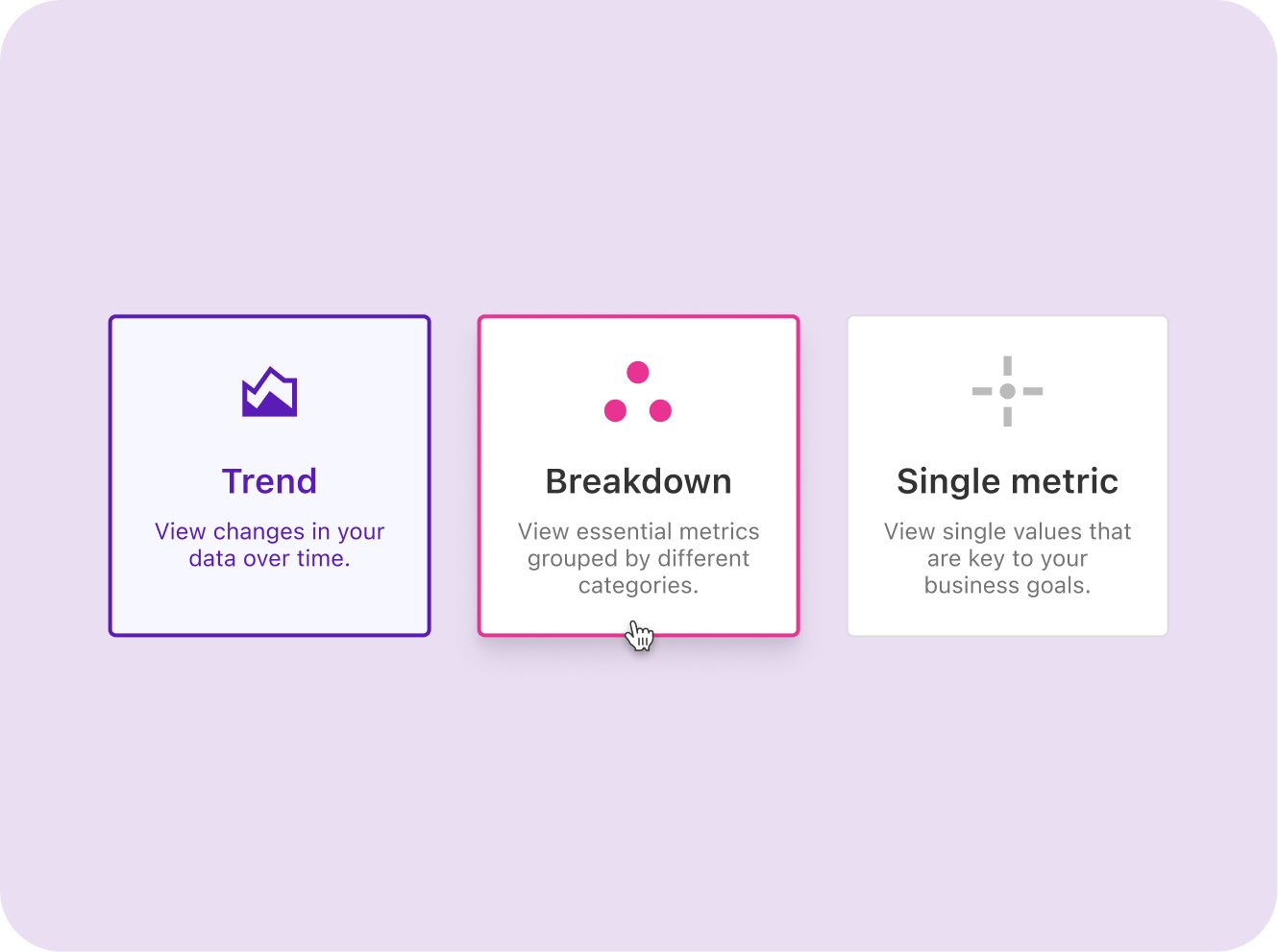
Headcount and turnover. Headcount, growth, and new hires tell leadership whether hiring plans are on track. Turnover gets more useful once you split it by department and tenure. People leaving in their first year can point to a hiring or onboarding problem.
Age bands help too. Eurofound's European Working Conditions Survey 2024 found that 29% of workers aged 16-29 say they're likely to leave their job in the next year. These are survey answers, not your own data. A tenure and age breakdown shows whether the same pattern exists in your company, where a stable company-wide turnover rate can hide it.
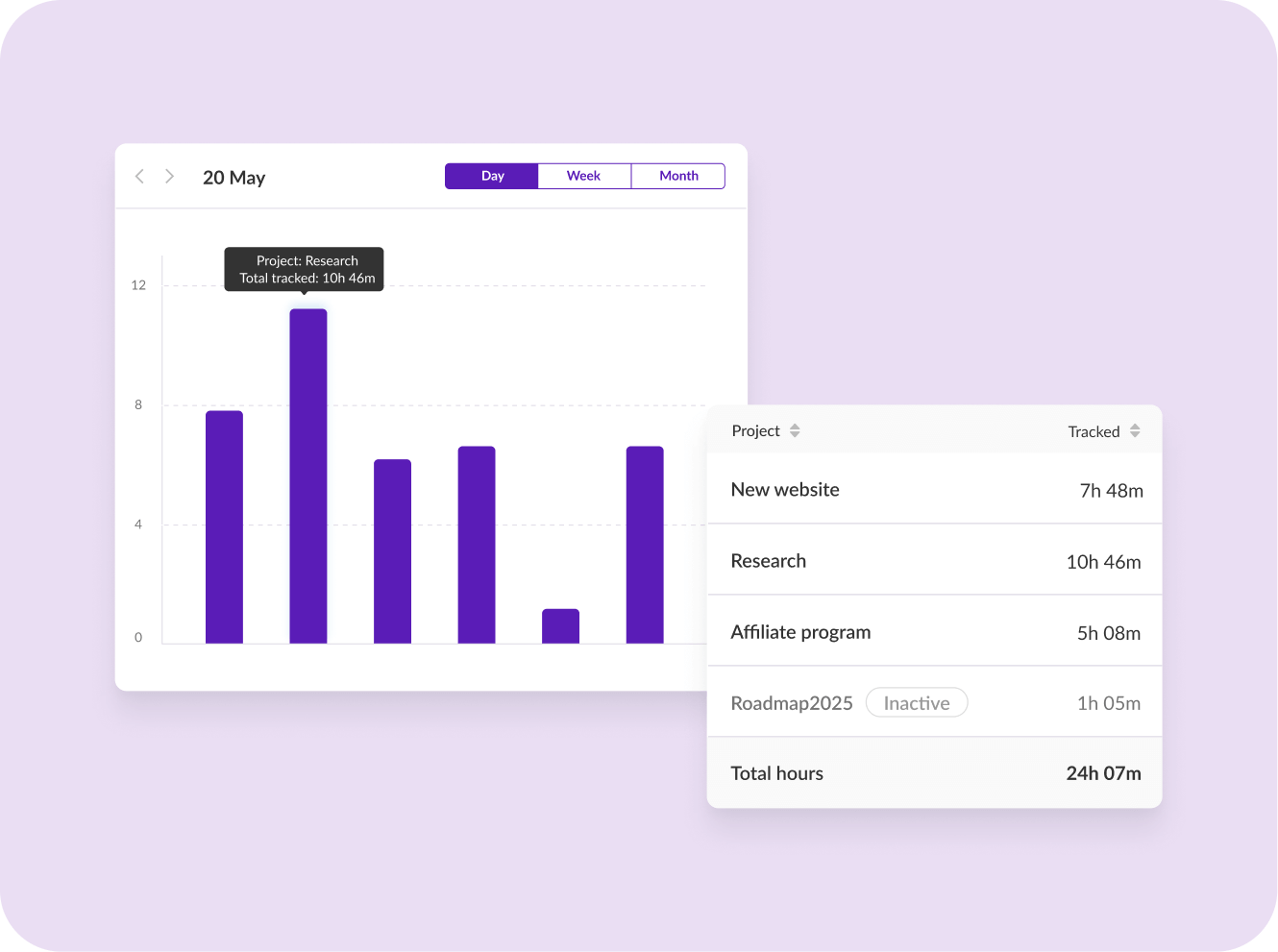
Absence and sick leave. Track the sick leave rate by team and month, along with open long-term absence cases. A slow rise in one team can show up in the data before anyone raises it in a one-on-one. Vacation days not taken are worth a column as well. When a team stops taking time off, workload may be the reason.
Engagement and performance. Show the engagement score per survey cycle, with the participation rate next to it. A score of 30% for a team tells you less than a score of 90%. Performance rating distribution is a diagnostic in its own right. If one manager rates almost everyone "exceeds expectations" and another rates most people below target, the issue may be inconsistent standards between managers.
Start with a handful of metrics. Add more when someone asks a question the dashboard can't answer.
Step 3: Settle the definitions
A dashboard shows what the data says, so you need to settle the definitions behind it first. A headcount mismatch with finance usually comes from different definitions, not typos. Four decisions remove most of it:
- Headcount. Count people or full-time equivalents, and say which. Decide whether to include contractors and interns.
- Snapshot date. Use the same date for every period, such as the last day of the month, so two people pulling the same number get the same result.
- Turnover rate. Divide leavers in the period by average headcount in that period. Decide whether to show voluntary and involuntary exits, and ended fixed-term contracts, together or separately.
- Sick leave rate. Divide sick days by scheduled working days in the period. Decide how part-time schedules are counted.
Write the definitions on the dashboard itself, and share them with finance. When both teams use the same snapshot date and headcount definition, the leadership meeting stops being about whose number is right.
Step 4: Get the data into one place
Pull the people data together before you build anything on top of it.
- Export from the source systems. That usually means your employee list, the leave or absence tracker, the survey results, and any record of leavers.
- Use one row per employee and one row per absence or leaver. Keep department and team names identical everywhere. "Marketing" and "Marketing team" show up as two departments in a chart.
- Run a missing-data check. Blank start dates, missing departments, and leaving dates without a reason skew turnover and tenure.
- Set a refresh schedule. Decide who updates the data and when, for example, on the first working day of each month.
Who owns each record, and how to keep one source of truth, is covered in HRIS vs spreadsheets.
Step 5: Choose where to build it
Three options cover most small teams. The right one depends on how often you refresh the dashboard and how many people need to see it.
| Option | Good for | Watch out for |
|---|---|---|
| Spreadsheet (Excel or Google Sheets) | A first version with a few metrics, built by someone who already works in spreadsheets | Manual refresh every period, copies that drift apart, no access by role |
| BI tool connected to your data (for example, Power BI or Looker Studio) | Filters and trend views that update without rebuilding charts, shared as a link | Someone has to set up and maintain the data connection, and permissions need care because the data is personal |
| HRIS built-in reports or dashboards | Data that already lives in one system, with access set by role | What you can see depends on what the product offers, so test it with your own questions |
If you build in a spreadsheet, keep one tab for the data, one for the definitions, and one for the dashboard, so the charts never read from a tab someone edits by hand.
Step 6: Design a view for each audience
The same data needs a different cut depending on who's looking and how often. A first dashboard fits on one page:
| Area | What goes there |
|---|---|
| Top row | Headcount, turnover rate for the last 12 months, and sick leave rate for the last month, each next to the previous period |
| Middle | Turnover by department and tenure band, and sick leave rate by team and month |
| Bottom | Engagement score and participation by team, per survey cycle |
| Filters | Department, team, location, and period |
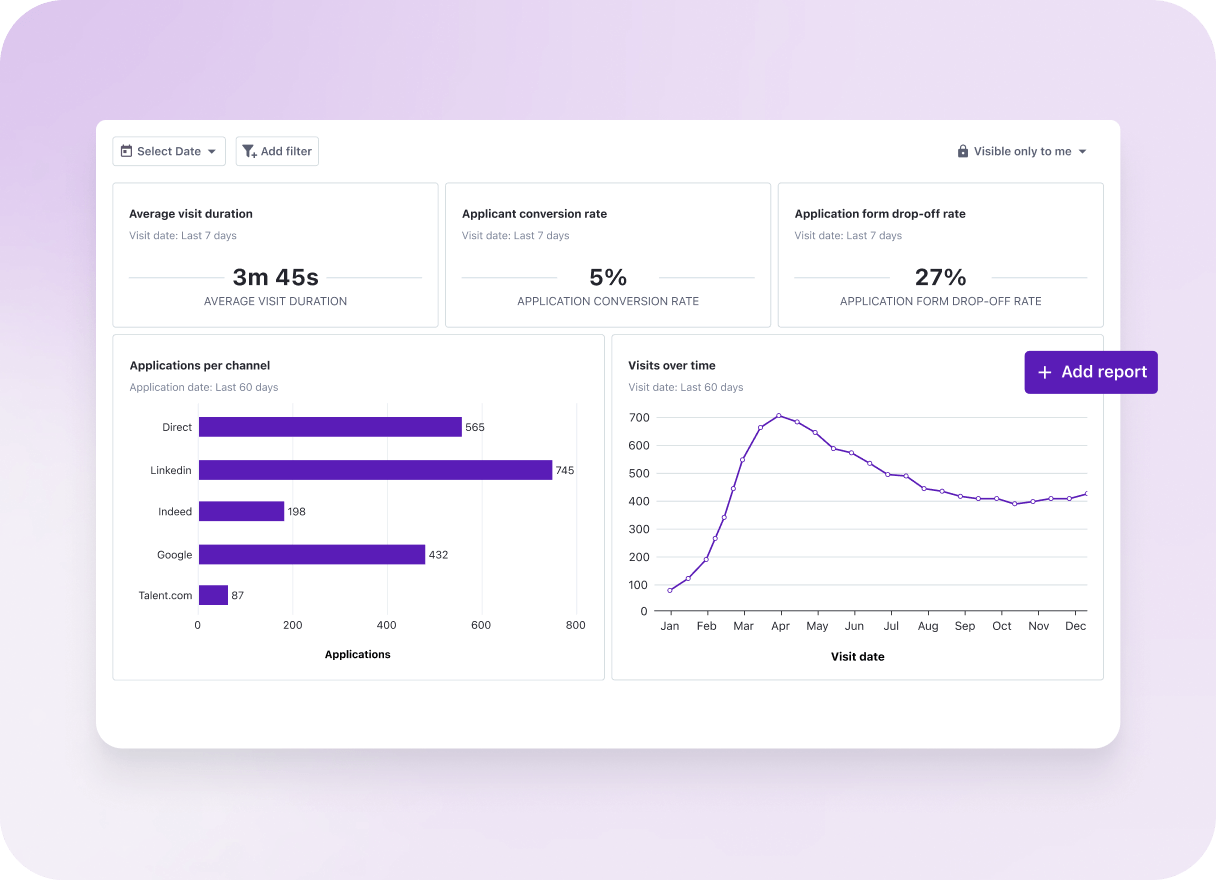
Department filters are what make action plans specific:
Without filters, someone segments the exports by hand, adding an extra step for every HR business partner.
Monthly HR team view. Inside HR, the monthly view covers team health, open employee cases, absence movements, and any leavers. Nishma's team holds a full people review once a month: what's going well in each department, which cases are high priority, and how many employee cases are open. The same review goes to leadership every quarter.
Quarterly leadership view. Leaders respond to people data when it's tied to what they're accountable for. A quarterly workforce view should link headcount, turnover, and workload to department goals. The conversation then moves to what happens next: hire, rebalance work, or change the plan.
Manager team view. Marieke Drees, VP of People at Tellent, sees a management gap open up somewhere between 50 and 100 employees. Companies start adding managers who want to run their own teams without HR doing the admin work. For a dashboard, that means leave balances, upcoming absences, and review status for each manager's team, one click away and without a message to HR.
Engagement survey view. A good survey view shows scores by function, trends from one cycle to the next, response counts, key themes, and top priorities.
How much detail you need depends on size. A smaller company can often act on an AI-generated summary of scores, themes, and priorities. A larger one needs team-level scores and comments to build a separate action plan per department, which is how Nishma's team works. Keep answers anonymous, but make participation visible, so HR can remind teams before the survey closes.
Step 7: Read the metrics together
Real problems rarely show up in a single metric, so put several signals for one team side by side. In Nishma's team, HR reads them together:
From there, HR digs deeper and brings the findings to leadership. The outcome might be a strategy change for the team or a case for more headcount. Add a trend line to each metric so you can tell whether a change in turnover or sick leave is lasting or a one-off. Compare the same period year on year for headcount and turnover, and survey cycle against survey cycle for engagement.
Step 8: Test it, protect it, and keep it current
- Test with two people. Ask one manager and one leader to answer a real question with the dashboard, without your help. Where they get stuck, the dashboard needs work.
- Test an edge case. Check what a team of three shows, because anonymity can break in small groups. Keep survey results aggregated for small teams.
- Limit who sees what. The European Commission's guidance on GDPR principles says personal data should be accessible only to a limited number of people, on a need-to-know basis. Give each role only the view it needs.
- Name an owner and a rhythm. One person refreshes it, and the dashboard is reviewed monthly in HR and quarterly with leadership.
When to stop building by hand
A hand-built dashboard works until refreshing it becomes a job in itself. Watch for these signs:
- You rebuild the same charts every month.
- Two versions of the dashboard circulate, and the numbers differ.
- Managers ask for cuts by team or tenure that the dashboard can't produce.
- Sick leave or survey data needs separate cleaning before every refresh.
Marieke names both what a good setup should allow and what manual reporting costs:
At that point, HR software with built-in reports refreshes for you. Rank your requirements before the first demo:
| Requirement | Business reason | Priority | Evidence to ask for |
|---|---|---|---|
| Department and team filters | Targeted action plans | Essential | Live filter on your own sample data |
| Period comparison | Spot lasting changes | Essential | This year vs last year for turnover |
| Cross-metric team view | Explain why a number moved | Important | Ratings, engagement, and absence for one team |
| Role-based access | GDPR and trust | Essential | Manager login showing only their team |
| Exports and sharing | Leadership reporting | Important | One-click export of a sick leave report |
| Native integrations | No double entry | Important | List of connectors and sync frequency |
| Setup effort | Limited HR capacity | Important | Implementation plan with named steps |
Look past the subscription price. Add setup and data migration effort, admin time, manager training, and any paid reporting add-ons.
Demos run on perfect sample data, and yours won't look like that, so bring questions that need a specific answer:
- Can you import our employee data during the trial, and how long does that usually take?
- Can you show sick leave for one office over 12 months, split by team?
- Can a manager see their own team's view without HR building it for them?
- How are permissions set per role, and who can change them?
- What's the minimum group size before survey results appear?
- What's included in the subscription, and what costs extra for reporting?
Then run the trial in this order:
- Send the vendor your three most common leadership questions in advance.
- Load a sample of your own data, including a few messy records.
- Invite one manager and one leader to try their own view.
- Test an edge case, such as a team of three where anonymity could break.
- Score every tool on the same requirements table, with notes on the evidence you saw.
Common mistakes when building an HR dashboard
Most dashboard regrets trace back to a handful of early decisions.
- Tracking too much. Too many charts make it hard to see which one needs action. Start with a handful of metrics and add more only when someone asks a question you can't answer.
- Building on unsettled definitions. If HR and finance count headcount differently, the dashboard shows both answers faster. Settle the definitions first.
- Giving everyone the same view. A leader and a team manager ask different questions, so set up a separate cut per role.
- Building it once and never refreshing it. Without an owner and a schedule, the numbers go stale, and people stop opening it.
- Picking on chart design. Check the definitions, the data quality, and who can see what first, since you'll rely on them every day.
- Reading feedback as one-off stories. Comments and exit interviews become useful when you look for patterns over time.
Joanna Augustyn, People Operations Specialist at Tellent, explains why that last point matters:
Where Tellent HR fits
Tellent HR is an HRIS with built-in performance management. It's designed for growing small and mid-sized companies in Europe that want to replace spreadsheets or scattered tools. Because employee records, absence, reviews, and surveys live in one platform, your reports read from the same data.
HR Manage, a module within Tellent HR, holds the employee database. Once employee data is centralized, it generates HR reports automatically for headcount, seniority, age, attendance and absence usage, new hires, project time tracking, and missing employee data, with one-click exports.
HR Grow, a module within Tellent HR, adds performance reviews and engagement surveys. Once a survey closes, it generates an summary with the score, the number of respondents, key themes, top priorities, and reference comments. Responses stay anonymous, and admins can see who hasn't started and send reminders without seeing individual answers.
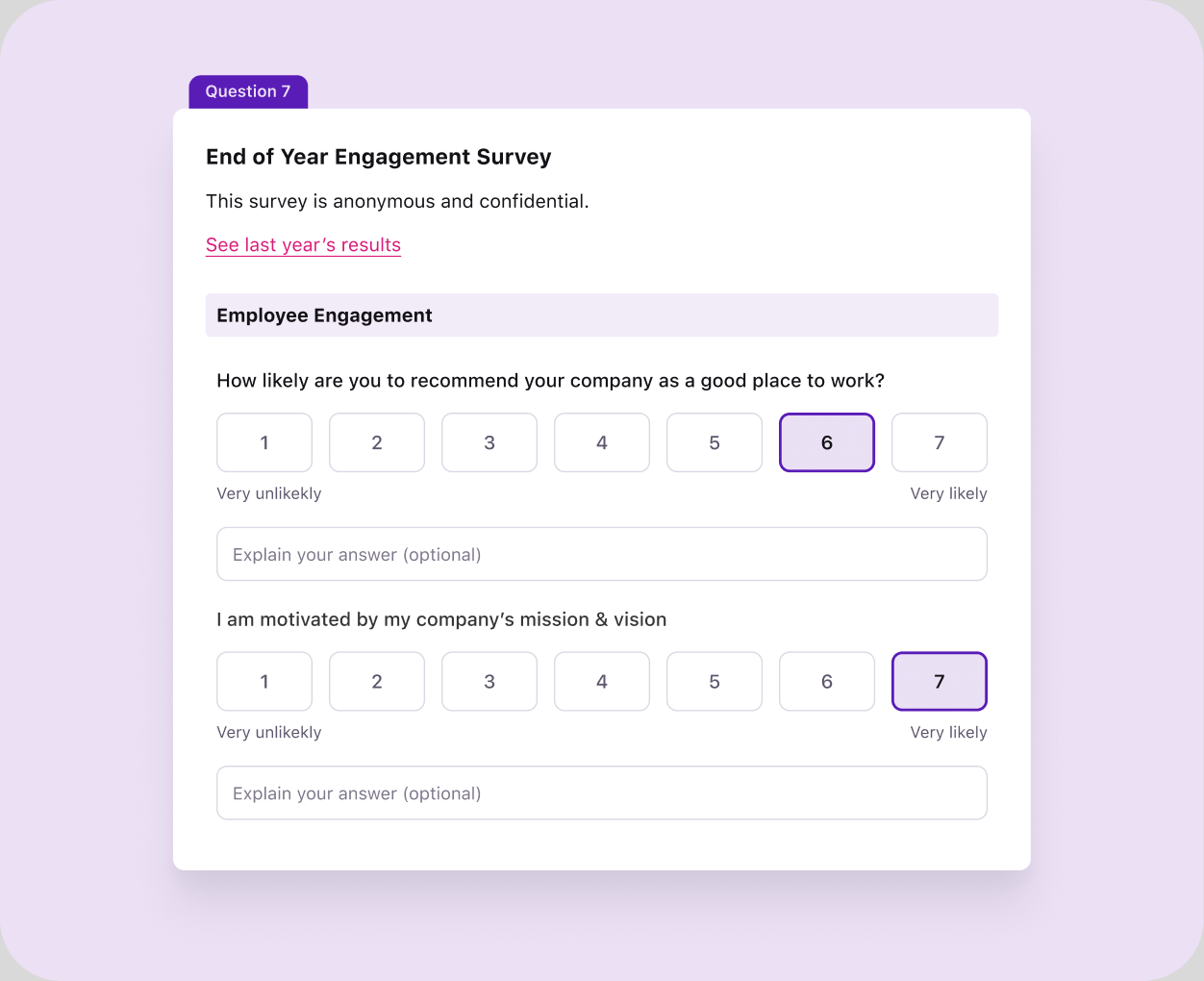
Simplon.co, a Tellent customer, launched its first social barometer, an employee engagement survey, with HR Grow. Murielle Denys, Human Resources Director at Simplon, says the anonymized questions and real-time aggregated reports gave HR data it previously lacked, and that the resulting action plans were more appropriate and effective.
Tellent HR connects with 200+ tools, including a native integration with Tellent Recruitee, the applicant tracking system (ATS).
It may not be the right fit if you run a dedicated people analytics team that needs custom data models across many enterprise systems. In that case, a specialist analytics platform on top of your HRIS may suit you better.
Building your HR dashboard: a short recap
Write down the questions you're asked, pick a handful of metrics, and settle what each one means. Build the first version in the tool you already have, give each audience its own view, and test it with a manager and a leader. When refreshing, it becomes a job of its own; move to HR software and test every tool with your own records before you sign.