You have eight vendor tabs open and three demos booked between payroll cut-off and a new starter’s first week. Every one of the HRIS vendors on your list says its product is easy to use. And you’re running this project on top of your normal HR work.
The platform you choose will run underneath every payroll, every new starter, and every leave request for the next few years. Get it right, and the monthly admin shrinks. Get it wrong, and the real bill will far exceed the subscription costs.
Managers drift back to approving leave by email, HR re-keys the same changes for payroll every month, and one missed update turns into a wrong payslip someone (in HR, of course) has to explain.
That’s what a poorly chosen HRIS looks like a year after go-live.
And let’s be honest, switching isn’t easy. Most HRIS contracts run for more than a year, so if you pick the wrong one, you’re riding it out while your team works around it.
The good news is that you can spot most of these problems before you sign any contract. This HRIS buying guide, built for small and growing European companies, shows you how to test for exactly that.
You’ll know which vendors to shortlist, how to test them in a demo, how to compare them on evidence, and what GDPR asks of you when a vendor holds employee data.
Key takeaways
-
Write and weight your requirements before the first demo, so every vendor faces the same test and no sales tour sets the agenda.
-
Run demos on your own leave and onboarding cases. They’ll show you far more than a vendor’s standard tour.
-
Managers and employees who log in occasionally decide whether the system gets used, so test their tasks first.
-
Compare quotes over three years, with implementation, integrations, support, and price rises added in. The subscription is only one line of the bill.
-
Treat the GDPR processor contract, including how you get your data back, as part of the evaluation rather than paperwork for after you sign.
-
Pick one type of vendor before you shortlist. An enterprise system and a small-company HRIS don’t belong on the same scorecard.
A quick HRIS evaluation process
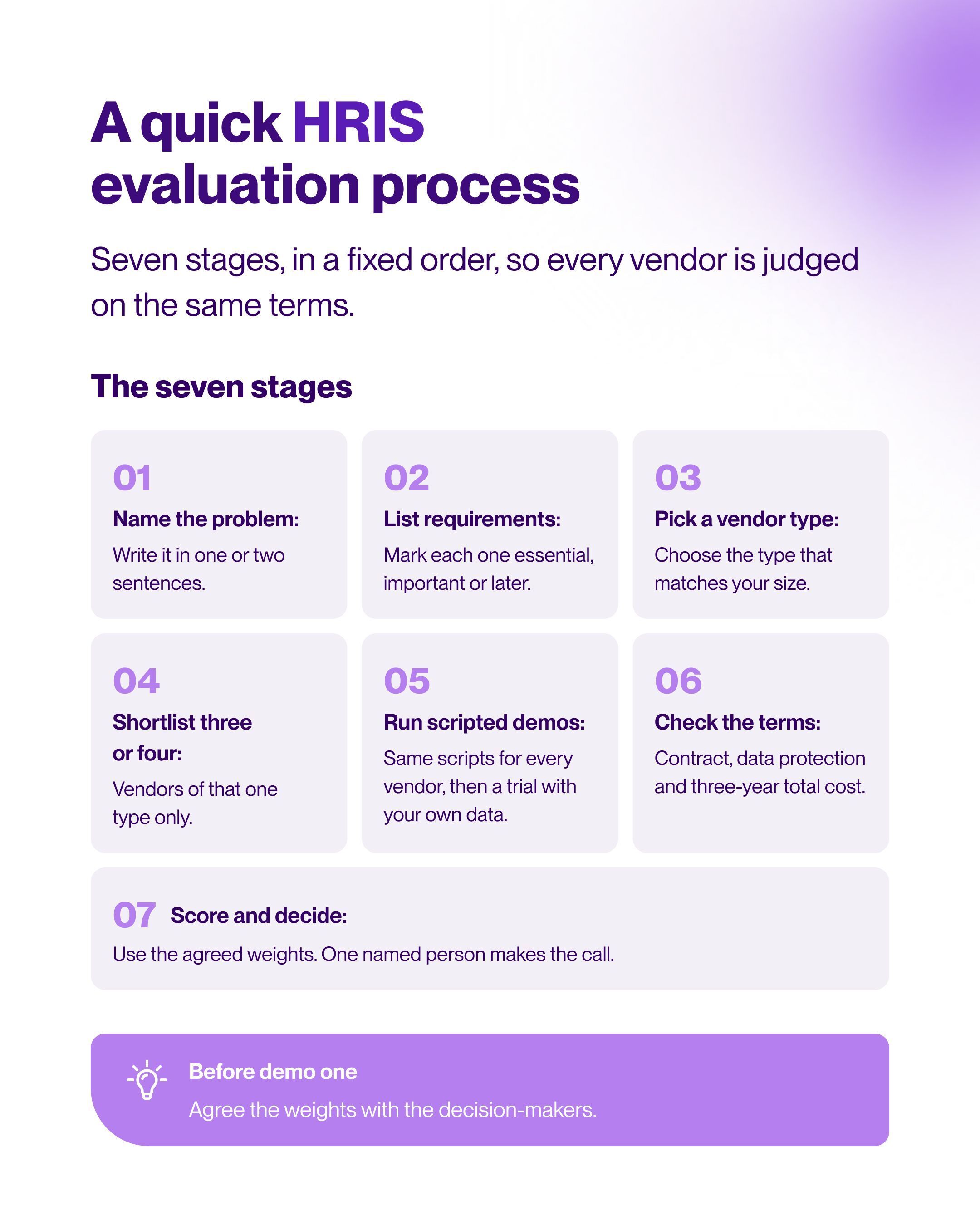
You’re fitting this project around payroll, hiring, and everything else on your plate, so keeping to a fixed order keeps the project from restarting every time a demo invite arrives. It also means you agree on what you need before you see any demos, so every vendor gets judged on the same terms.
Here are seven stages below that work as a short HRIS buying guide you can copy into your project plan.
-
Name the problem the new HRIS has to solve, in one or two sentences.
-
List your requirements and mark each one as essential, important, or later.
-
Learn which types of HRIS vendors exist and pick the type that matches your size.
-
Shortlist three or four vendors of that type.
-
Run scripted demos with each vendor, then a trial with your own data.
-
Check the contract, the data protection terms, and the three-year total cost.
-
Score the vendors against agreed weights, and let one named person make the final call.
Signs your company needs a new HRIS
Timing matters here. Buy too early, and you’ve added another system someone has to set up, maintain, and keep tidy, often before you have the processes to fill it. You end up paying for modules nobody uses, and the team carries on in the spreadsheet because it’s still faster.
Leave it too long, and the cost shows up in different places. Small slips in pay and leave start reaching employees, and every month of manual workarounds adds more data to clean up when you do move.
So how do you know when you’ve reached that point? Look back over your last three months of HR work. If several of these sound familiar, it’s probably time.
-
You spend an evening each month matching leave balances against payslips.
-
Payroll changes go to your payroll provider by email, and someone re-keys them there.
-
Contracts and ID documents sit in shared folders, and nobody's quite sure who has access.
-
The onboarding checklist lives in one person’s inbox.
-
A manager’s question about sales headcount sends you into four different files.
-
Managers switch between three tools to handle a single leave request.
That said, some of these signs don't necessarily ring bells for a new HRIS platform, but rather point to a process gap. So, if you have fewer than 15 employees, one location, and simple leave rules, a tidied-up spreadsheet and a clear approval rule can carry you for a while.
It’s also worth checking whether a problem comes from a rule nobody owns yet, such as who approves leave when a manager is away. A system can enforce a rule, but it can’t decide one for you.
If the signs point to a system, the guide to moving off HR spreadsheets explains when and how to make the switch.
Define your HRIS requirements before the first demo
Your requirements are the test every vendor has to pass. Otherwise, every vendor gets to decide what’s important, and the one with the best tour usually wins. Take, for instance, a complaint such as “leave approvals take forever.” That's testable in a demo, but only once you’ve turned it into something specific: who approves, from which device, and what they need to see before they click yes.
That last part often reveals a process question rather than a software one. If nobody’s agreed who covers approvals when a manager is away, no system will fix it for you.
Joanna Augustyn, People Operations Specialist at Tellent, puts the order of work plainly:
Map the workflows you run every week
Write down your recurring processes: a leave request through approval to payroll, a new-hire setup, a contract change, and an offboarding. For each one, note the handoffs, who approves, and the workarounds you use today.
Joanna describes where onboarding and offboarding run into trouble:
Also capture exceptions, such as a half-day or an employee falling sick during their holiday, because those cases expose differences between systems. They don’t come up often, but they’re where systems really differ, and a vendor’s standard demo rarely touches them.
If you’re not sure where to begin, a guide to mapping your onboarding process breaks it into stages you can document. And keep everything you write, because each workflow becomes a demo script later.
List who will use the system
No doubt, HR uses the system every day. But an HRIS has more users than the HR team, and each group needs something different from it.
-
HR will use it every day, so admin tasks, reporting, and the payroll export matter most here.
-
Managers log in occasionally, usually to approve something between meetings. If it isn’t quick on their phone, they’ll go back to email.
-
Employees mainly want to check their leave balance or find a payslip. They decide whether self-service actually works.
-
Decision-makers, such as the founder or finance lead, need to agree on the budget and weights before demos start, not after.
-
Supporting roles, including IT, your data protection officer (DPO), and your payroll provider or tax consultant, each need to check their part, so invite them in early.
If you have a works council, involve them from the start too. In Germany, works councils have co-determination rights over technical systems that can monitor employee behavior or performance, and in the Netherlands their consent is needed for systems that process employee personal data. They’ll often ask who can see performance notes, so take that question to every vendor.
Once you know who your users are, write down what each group needs from the HRIS system, and bring a representative from each into the selection itself. A manager testing leave approval in a demo will spot problems a feature list won’t, and it makes adoption easier later.
Note your data, integrations, and payroll handover
Next, list the systems your HRIS needs to talk to, such as payroll, your applicant tracking system (ATS), accounting, and calendars. Then list the data you’ll migrate, including employee records, leave balances, and documents, and decide who owns each data set.
Joanna explains why each piece of employee data needs one owner:
Before the demos, decide which system owns each data field, and ask every vendor to show how a change made in the HRIS reaches payroll.
Migration is also a good moment to clear out what you no longer need. GDPR asks you to keep personal data only as long as it’s needed for its purpose, so it's often better to delete old CVs, former employees’ files, and duplicate records than move them.
However, of everything on the list, the payroll handover will affect your monthly workload most. Ask your payroll provider for their import template now. That file tells you exactly what “payroll integration” needs to mean for your company, and it gives you something concrete to test in every demo.
Plan for the next two to three years
Picture your company in two or three years' time, and ask yourself three questions:
-
Will we add a new legal entity, country, or office in the next two to three years?
-
Will we start formal performance reviews or 360-degree feedback?
-
Will we take on hourly, shift, or part-time staff with different leave rules?
Plan for the stage you can see from here, not for a headcount you might reach in five years. The best fit is usually a core HR platform that covers what you need now and lets you add modules, like performance management, when you’re ready.
Combine everything in one requirements list of 10-20 lines. A 120-line wish list copied from a brochure, with every line marked “must have,” makes every vendor look the same. So, give each requirement a business reason, a priority, and the evidence that would prove the vendor meets it.
|
Requirement |
Business reason |
Priority |
Evidence required |
|---|---|---|---|
|
Managers approve leave with the balance visible |
Balances stay correct |
Essential |
A manager approves a half-day on a phone in the demo |
|
Payroll export your payroll provider accepts |
HR stops re-keying changes |
Essential |
Your payroll provider checks a sample file |
|
Role-based access to personnel files |
Only the right people see contracts and sick notes |
Essential |
The vendor shows the HR, manager, and employee views |
|
Onboarding checklist triggered on hire |
New starters have equipment on day one |
Important |
The vendor creates a hire and shows the tasks |
|
Headcount report by team |
HR answers leadership questions in minutes |
Important |
You build the report during the trial |
|
Performance reviews and 360-degree feedback |
Reviews start next year |
Later |
The vendor confirms how and at what price you add them |
HRIS selection criteria that separate vendors
On paper, most HRIS vendors look alike. They all have a leave module, an onboarding checklist, and some kind of reporting. But a product can “have a leave module” and still not handle your approval rules.
Use the HRIS selection criteria below to look past the checklist, and judge each vendor on how it would work for your team week to week.
Workflow fit
A good fit means the vendor can configure your leave rules, approval chains, and onboarding steps without workarounds. Ask the vendor to set up one of your real rules during the call, such as half-days with carry-over capped at five days.
If a vendor says a rule like that needs a custom project, take note. Anything you’ll use every month should be a setting, not a project, because every later change could mean another one. Whereas if another vendor configures it within minutes, you know they are a potential workflow fit.
Ease of use for managers and employees
Two everyday tasks tell you most of what you need to know: a manager approving leave on their phone between meetings, and an employee finding last month’s payslip. Both should take a minute or two, with no help needed. If either needs help, adoption will be an uphill battle after go-live.
Integrations and payroll connection
This is where most of your monthly time will be won or lost. A vendor can connect to payroll in one of three ways: a native integration, a file export, or an API that your team or a partner maintains. Ask which one they offer, who looks after it, and what happens when a field changes on either side.
Then ask to see the exact file your payroll provider would receive, and send it to them to check. Also check whether every integration on the vendor’s list is run by the vendor itself. Some are run by third parties and cost extra.
Reporting you’ll actually use
Sooner or later, someone will ask you a people question that needs an answer today. How many people do we have in sales? Why did absence spike in March? Who’s leaving, and from which teams? Your HRIS should answer those in a few clicks, without an export to a spreadsheet.
In the demo, skip the sample dashboards and build one report you’ll need every month, such as headcount by team or absence by month. Time how long it takes. If it’s slow with the vendor’s help, it’ll be slower without it.
Data protection and access control
In GDPR terms, your company is the controller of employee data, and a vendor handling that data for you is a processor. Under GDPR Article 28, you can only use processors that give sufficient guarantees they’ll protect that data, and the arrangement has to be set out in a written contract (which can be electronic).
Before you shortlist anyone, ask for:
-
Their data processing agreement, so your DPO can review it early rather than at the contract stage.
-
Their list of sub-processors, including where the data is stored.
-
A walkthrough of access rights, showing what HR, managers, and employees can each see.
-
Proof of an audit trail, so you can tell who changed a personal file and when.
Certifications are a helpful signal, but under GDPR, the judgment on whether a vendor is safe enough stays with you.
AI features and human oversight
AI features are quickly becoming standard in HR software, from summarizing feedback to suggesting performance ratings. They can save real time, as long as a person stays in charge of the decision.
Under the EU AI Act, AI used to evaluate employee performance, or in hiring, promotion, or termination decisions, is classed as high-risk. As such, employers using these systems will need to inform workers and their representatives before a system goes live. So if you have a works council, it’s one more reason to bring them in early.
So put the same three questions to every vendor about each AI feature: what does it do, which data does it use, and who reviews the output before it reaches an employee?
In a setup that works well, the AI suggests or summarizes, and a manager or HR makes the final call. Your DPO or legal adviser can confirm which obligations apply to your company.
Implementation and support
A great product with a rushed setup can still leave you running two systems for months. So ask each vendor who handles the setup, the data import, and the training, and whether any of it costs extra. Then ask for an implementation plan with named owners on both sides and realistic dates.
Look at support in the same way. Which languages is it offered in, during which hours, and through which channels? If your managers in Germany or the Netherlands need help, they should be able to get it in their own language and during their working day.
Total cost over three years
The cheapest subscription isn’t always the cheapest system. Once you add setup and migration, paid integrations, training, a higher support tier, and annual price increases, the vendor with the lowest monthly fee can end up costing the most.
So build one three-year cost line for each vendor, covering everything you’ll actually pay. Check the contract length and notice period too, because they decide how long you’re committed if things don’t work out.
Types of HRIS vendors you’ll come across
Comparing an enterprise HCM with a small-company HRIS is a bit like comparing a commercial kitchen with a home kitchen. Both cook dinner, but one is built for a team of chefs and a hundred covers a night, and it’s priced that way.
That’s why it helps to pick a category before you look at prices, because putting different types of vendors on one shortlist makes the gaps look like differences in quality.
Whichever type you choose, it’ll almost certainly be a cloud subscription. With 52.74% of EU enterprises with 10 or more employees already paying for cloud services, that’s now the norm.
But it also means you don’t own the platform you’re running on. The contract, the exit terms, and who can see your data are what protect you, so give them the same attention as the features.
Our recommendation: Use the table to pick one type, then shortlist three or four vendors within it.
|
Option |
Best suited to |
Main strengths |
Potential limitations |
|---|---|---|---|
|
Core HR platforms for small and mid-sized companies |
Small and mid-sized companies replacing spreadsheets |
Records, leave, documents, and onboarding in one place |
Payroll runs through an external provider |
|
Payroll-led HR systems |
Companies that want payroll calculated in the same system |
One source for pay and HR data |
HR features can be thinner |
|
All-in-one HR, IT, and finance platforms |
Companies that want devices and expenses managed alongside HR |
Fewer separate tools to buy |
More setup, and you pay for parts you may not use |
|
Enterprise HCM systems |
Large organizations with many legal entities |
Deep configuration and workforce planning |
Long implementation and high cost for a small team |
|
Point tools for leave or performance only |
Teams with one urgent problem |
Quick to start at a low price |
A second tool follows, for documents or reviews |
If two types both look right, let your payroll setup decide. Keeping an external payroll provider points to a core HR platform, and bringing payroll in-house points to a payroll-led system.
Questions to ask HRIS vendors before you sign
Exit terms, price changes, and support quality rarely come up in a demo, but they shape what it’s like to be a customer for years. Raise them before you reach the contract stage, ask for written answers, and log each reply in your comparison sheet.
Contract and exit terms
Nobody signs a contract planning to leave, but your exit terms decide how easy it is if you ever need to. Under GDPR rules on returning data, the contract must let you choose whether the vendor deletes or returns all personal data when the service ends. The law doesn’t set the export format, timeline, or fees, so ask about them.
-
Can you show the export file a customer received when they left?
-
Are there any fees for exporting your data or ending the contract?
-
In which format, and within how many days, do you return all employee data after the contract ends?
Pricing and add-ons
A price increase at renewal that wasn’t in the original quote is hard to argue with once you’ve gone live. Ask about pricing now, and add the answers to your three-year cost line for each vendor.
-
What triggers a price change: headcount, a new module, or a new contract year?
-
Which features we saw in the demo are add-ons with a separate price?
Support languages and response times
Your managers and employees may need help in German, Dutch, or French during their own working hours. Ask which commitments will appear in the contract.
-
Who answers support requests, and in which languages?
-
Which response times does the contract commit to?
Product roadmap
Remember: you’re not just buying the product as it is today, but the version you’ll be using in two or three years. A roadmap tells you whether the vendor is investing in the features you rely on, or moving its focus elsewhere. It also flags any changes that could disrupt your processes or your budget. Ask what’s planned for the parts your team will use.
-
What’s changing in the leave, onboarding, and payroll export features in the next 12 months?
-
Will any feature you’re buying move to a higher plan?
-
How do you tell customers about changes, and how much notice do you give?
Customer references
A vendor’s sales team will always show you the best version of the product. A customer will tell you how the product holds up during a busy payroll week. Ask to speak to someone in a similar position to you, with a similar size, country, and payroll setup, so their experience is a fair guide to yours.
-
Can you introduce a customer with a similar headcount in the same country?
-
Which payroll provider does that customer use with your system?
How to run an HRIS demo evaluation
By now, you know what you need and who needs it. The demo is where you find out which vendor can actually deliver it. But, left to their own devices, vendors will show you their strongest features, which may not be the ones your team needs every week.
Giving every vendor the same scenarios, with the same people watching, makes your HRIS demo evaluation fair, because you’re comparing products on your terms, not theirs. Use these steps for every vendor on your shortlist.
-
Send three to five of your workflow scripts to each vendor at least a week ahead.
-
Ask the vendor to show those scripts, using your sample data where possible.
-
Invite a line manager and your payroll contact to every demo.
-
Test at least one exception, such as a sick day during holiday or a mid-month contract change.
-
Ask someone from your team to click through a task while the vendor explains.
-
Write down every question the vendor couldn’t answer and request the answer in writing.
-
Score the vendor on the shared scorecard on the day of the demo.
-
Run a trial with your own data for the vendor that scores highest.
Worked example: three demos at a software company in Utrecht
Sanne is the only HR manager at an 80-person software company in Utrecht, and an external provider runs payroll. Before booking any demos, she agrees on the scoring weights with the founder, then shortlists three core HR vendors.
Two weeks before the demos, Sanne sends each vendor the same three scripts: onboarding a new developer, a Friday half-day, and a mid-month salary change. Each demo lasts an hour, with team lead Pieter and Lotte from the payroll provider in the room. During every call, Sanne also adds one awkward case live: an employee who falls sick during a week of vacation.
-
Vendor A gives the most polished demo, but its payroll export is missing a cost-center field, so HR would be re-keying data every month.
-
Vendor B handles every script, and Pieter approves the half-day on his own phone.
-
Vendor C can’t configure the half-day rule without a custom project.
They score each vendor that afternoon, on the same sheet. The founder liked Vendor A’s dashboards, but the weights they agreed before any demo was booked keep the decision grounded: workflow fit counts for 25% and payroll for 20%, and that’s where Vendor A fell short. Vendor B finishes on 4.0, Vendor A on 3.5, and Vendor C on 3.25.
Before committing, Sanne then runs a trial with Vendor B and imports records and leave balances for all 80 employees and sends a real month-end export to Lotte, who loads it without changing a thing. For the first time in months, the payroll file is something nobody has to fix.
Sanne owns the decision, and the founder signs off the budget. And after a contract review confirms how employee data would be returned, Sanne signs with Vendor B.
Vendor comparison checklist and scoring
Sanne’s scorecard is what kept her decision on track when the founder fell for Vendor A’s dashboards. Yours can do the same. Agree on weights before the first demo, and base every score in your vendor comparison checklist on evidence. Without weights, the vendor with the most features wins by default. Set the weights before the first demo, score each area from one to five based on evidence, and multiply by the weight to get a total.
The example below uses the scores from Sanne’s demos.
|
Evaluation area |
Weight |
Vendor A |
Vendor B |
Vendor C |
Evidence |
|---|---|---|---|---|---|
|
Workflow fit |
25% |
4 |
4 |
2 |
Half-day rule and onboarding script run live |
|
Ease of use for managers and employees |
15% |
4 |
4 |
3 |
Team lead approves leave on his phone |
|
Payroll and integrations |
20% |
2 |
5 |
4 |
Payroll contact checks the sample export |
|
Reporting |
10% |
4 |
3 |
5 |
Monthly headcount report built in the demo |
|
Data protection and contract |
10% |
4 |
4 |
3 |
Processing agreement, sub-processors, and exit terms |
|
Implementation and support |
10% |
3 |
4 |
3 |
Plan with named owners and support terms |
|
Three-year total cost |
10% |
4 |
3 |
4 |
Three-year cost line from each quote |
|
Weighted total |
100% |
3.5 |
4.0 |
3.25 |
Scores entered on the day of each demo |
Two tips to make your scorecard work harder. First, write down the evidence while the demo is fresh, because a week-long memory tends to favor the most confident presenter. Second, if two vendors finish neck and neck, let a reference call with a similar customer decide.
Common mistakes when choosing an HRIS vendor
A few small decisions early on can save a lot of time later. Here’s what to watch for, and how to get ahead of it.
-
Bringing in your payroll provider after you sign. They may only see the export the day before payroll runs, so invite them to the demos instead.
-
Buying for the company you might be in five years. It adds cost and setup work now, so size the contract for the next two years.
-
Signing before the migration plan has owners and dates. Tasks fall through the gaps, so make both part of the contract.
-
Running the project without a single decision owner. It can stall between HR and finance, so name that person at kickoff.
-
Leaving data cleanup until go-live week. You could end up correcting hundreds of leave balances by hand, so tidy your data during the trial.
Where Tellent HR may fit
If the criteria in this guide sound like your situation, with a small HR team, an external payroll provider, and a need to grow in stages, Tellent HR is worth a look. It's an HRIS with built-in performance management, designed for small and growing companies.
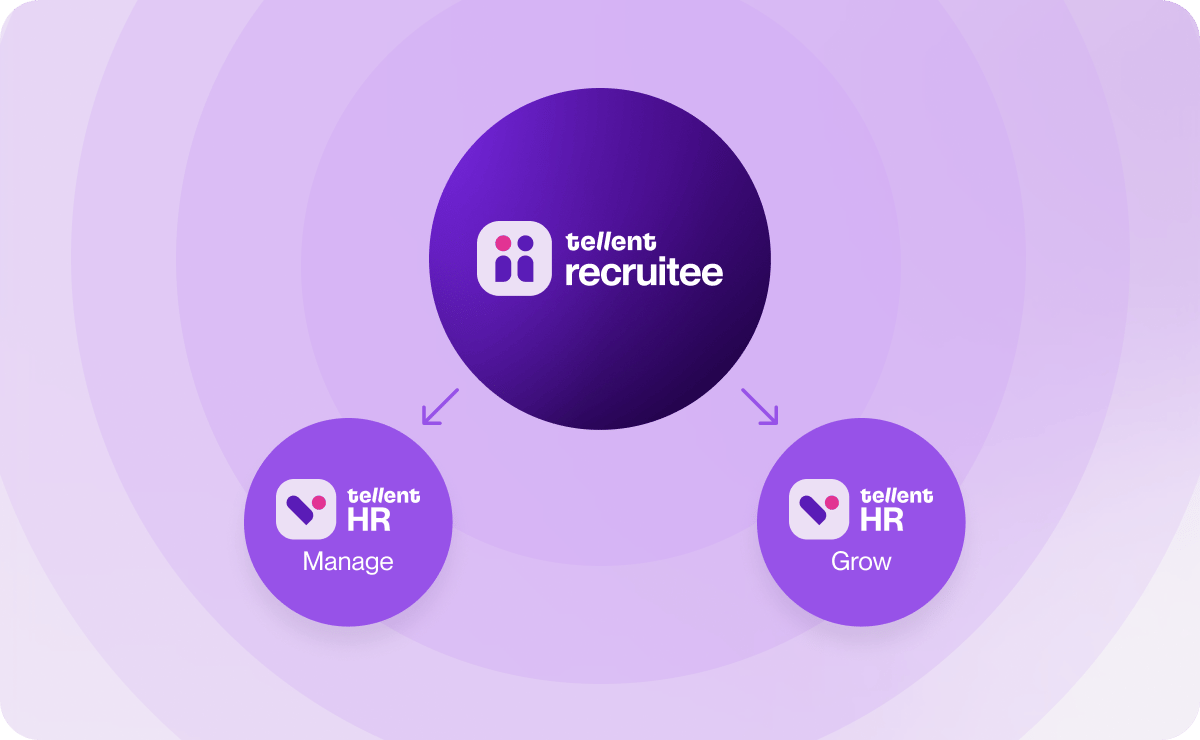
It comes in two modules, so you only pay for what you need now. HR Manage covers core HR, and HR Grow adds performance reviews and feedback tools. A common approach is to start with HR Manage and add HR Grow once you're ready to run formal reviews. Pricing is structured around your organization's size — our page on how Tellent HR pricing works explains the plans, so check it for the exact mechanics and current rates.
For the payroll handover, HR Manage integrates with DATEV, so you can transfer payroll data to your payroll and tax consultants; currently, DATEV is the only payroll system with this kind of direct integration, and other payroll tools work via CSV/PDF export rather than a live connection.
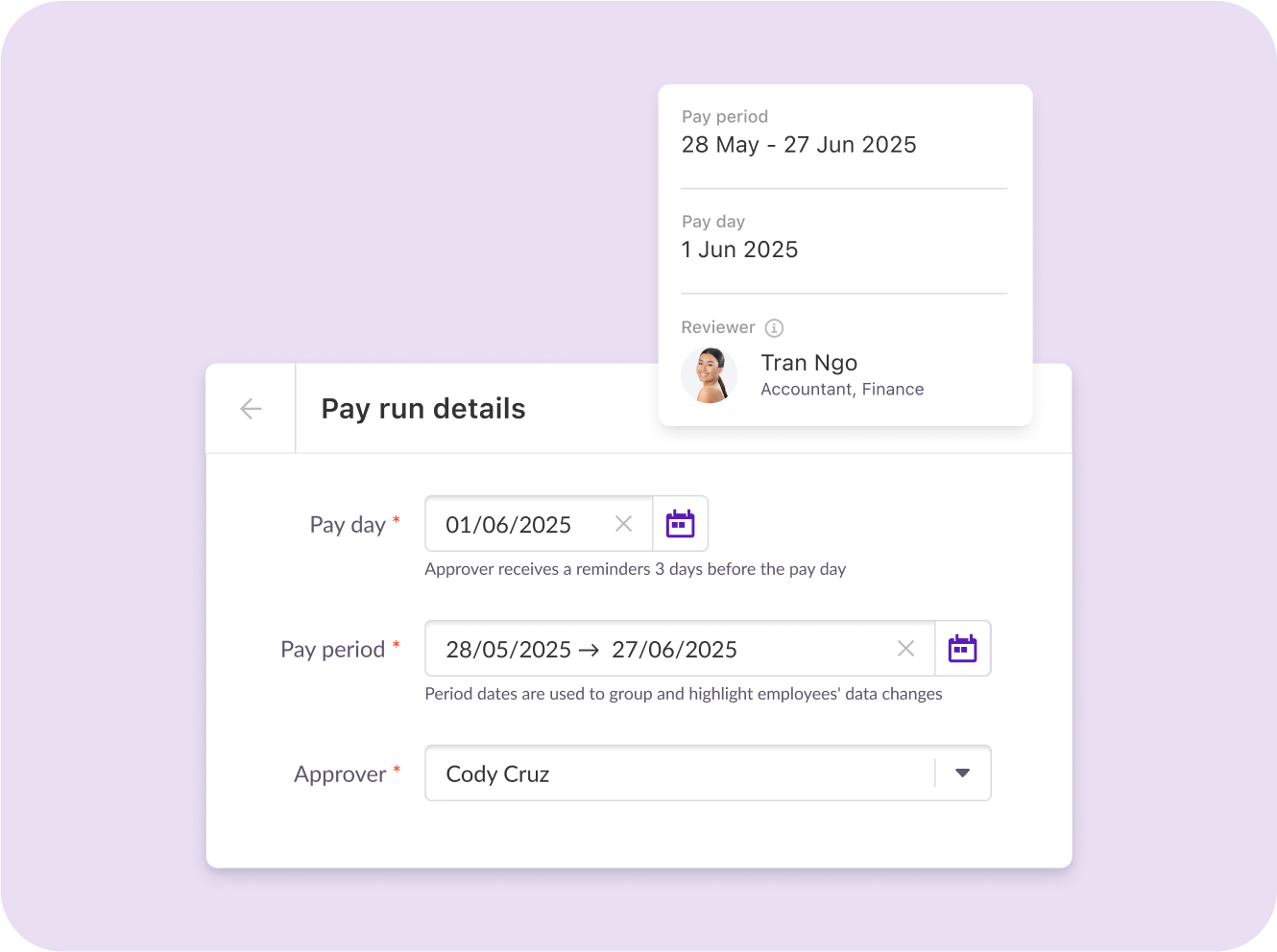
Confirm whether the integration you need is included in your plan or priced separately, so you can include it accurately in your three-year cost line. Beyond payroll, Tellent offers 200+ partner integrations and an API.
HR Manage integrates with Tellent Recruitee, Tellent's applicant tracking system, and connects the hiring process with pre-onboarding through Journeys.
HR Grow, the performance module, adds performance reviews and feedback tools, so hiring, core HR, and reviews can all sit with one provider. You can also save employee journeys, such as onboarding, offboarding, and promotions, as reusable templates.
Joanna uses Journeys for onboarding at Tellent:
Access follows the same principle this guide recommends. By default, administrators see everyone's records, managers see their own team's, and employees see only their own, with access levels customizable beyond these defaults.
Support and onboarding vary by plan, with higher tiers typically including more hands-on help such as a dedicated Customer Success Manager. Ask Tellent to walk you through exactly what's included in your plan, including the level of support and any local-language assistance available in your region.
Tellent HR won't be the right fit for everyone. If you need payroll calculated and filed within your HR system across several countries, or you're a large organization with many legal entities and complex approval chains, a payroll-led system or an enterprise HCM is likely a better fit.
But if you're a small or growing team, Tellent HR is built around your realities. You get a system that fits the team you have today, grows in modules rather than big jumps, and can be tested on your real data before you sign.
Choosing an HRIS your team will still use next year
The right HRIS starts with what your team needs to change, not with the vendor’s feature list. Let those needs decide which type of system you shortlist. Because a platform that suits a 40-person agency in Ghent could be completely wrong for a 200-person company with shift workers.
When you compare HRIS vendors, give the most weight to the everyday: how quickly managers and employees can get through their weekly tasks, and how clean the payroll file is when it arrives. Put setup work and three years of fees next to the subscription price, and score only what you’ve actually seen in demos, trials, and reference calls.
So this week, send your scripts to the HRIS vendors on your shortlist and block two hours with your payroll contact for the demos.
If Tellent HR is one of them, you can request a Tellent HR demo and bring the same scripts you send to every other vendor.